01
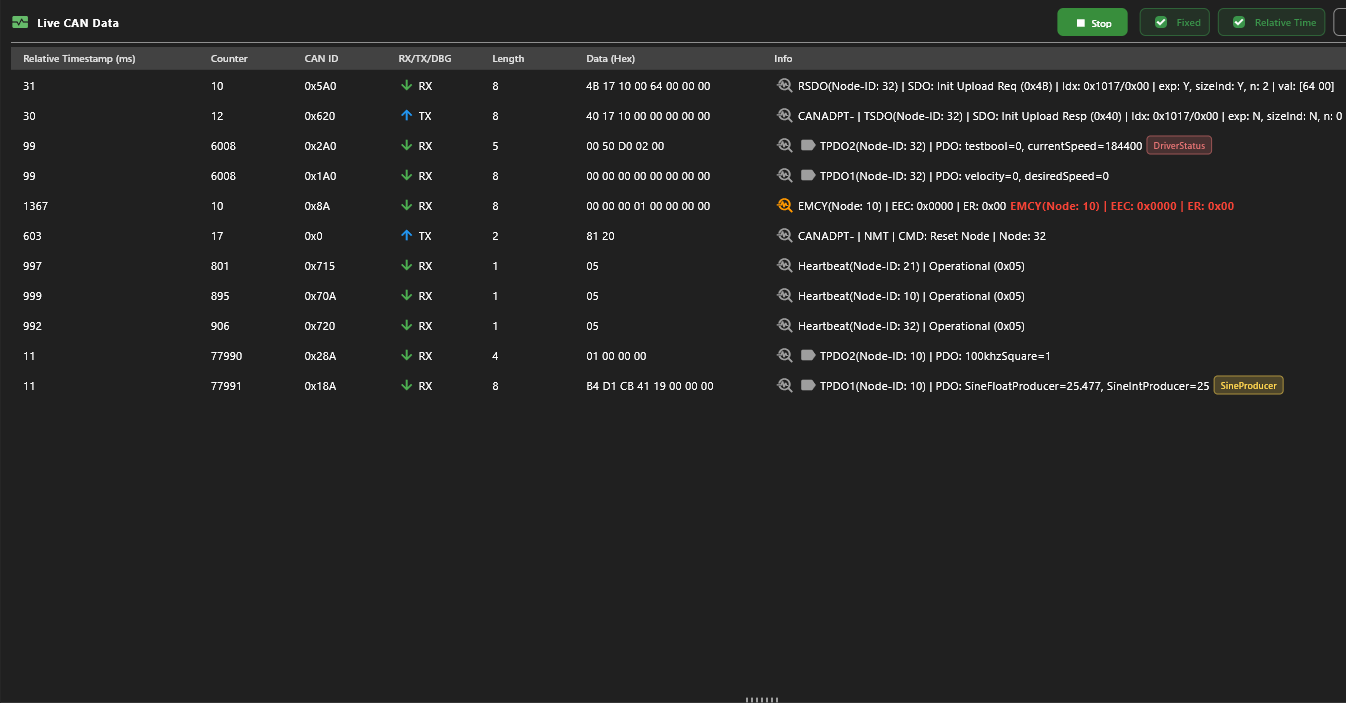
Live View
Real-time message log and data table, bus-load chart, active-node discovery and heartbeat states - the whole network at a glance.
CANopen Monitoring Tool · v1.0.4
Inspect, decode, and control CANopen networks in real time
Now in beta — download and use it however you like.
After beta it stays free for personal use; commercial
users will need a license.
Interoperable · Hobby Friendly
CANOpenScope interoperates with the open-source CANopenNode stack - the same frames, the same Object Dictionary, the same PDO mappings. The app itself is not open source, but it is hobby-friendly: free for personal use, with logical commercial pricing.
01 · Capabilities
Six tightly integrated tools, one native app. A layered architecture keeps decoding fast and hardware support broad.
Real-time message log and data table, bus-load chart, active-node discovery and heartbeat states - the whole network at a glance.
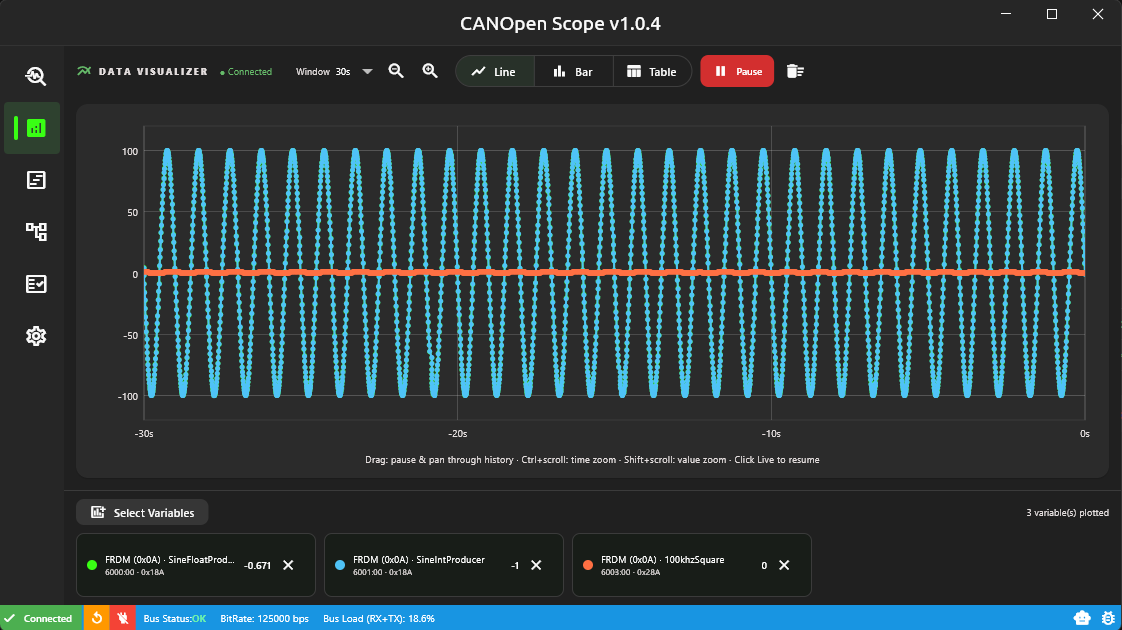
Plot PDO-mapped variables as line or bar charts over a rolling window. Zoom, pan, pause - watch control loops breathe.
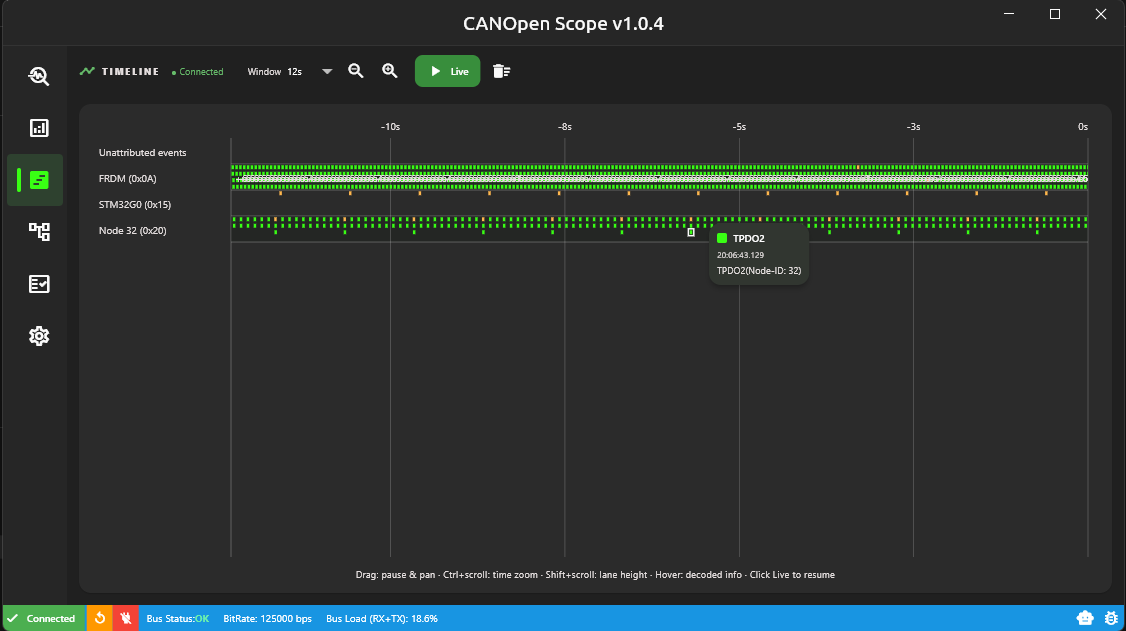
Every decoded frame on its own lane - NMT, SYNC, PDO, SDO, heartbeat, EMCY, ERR. SystemView-style pan, zoom and hover decoding.
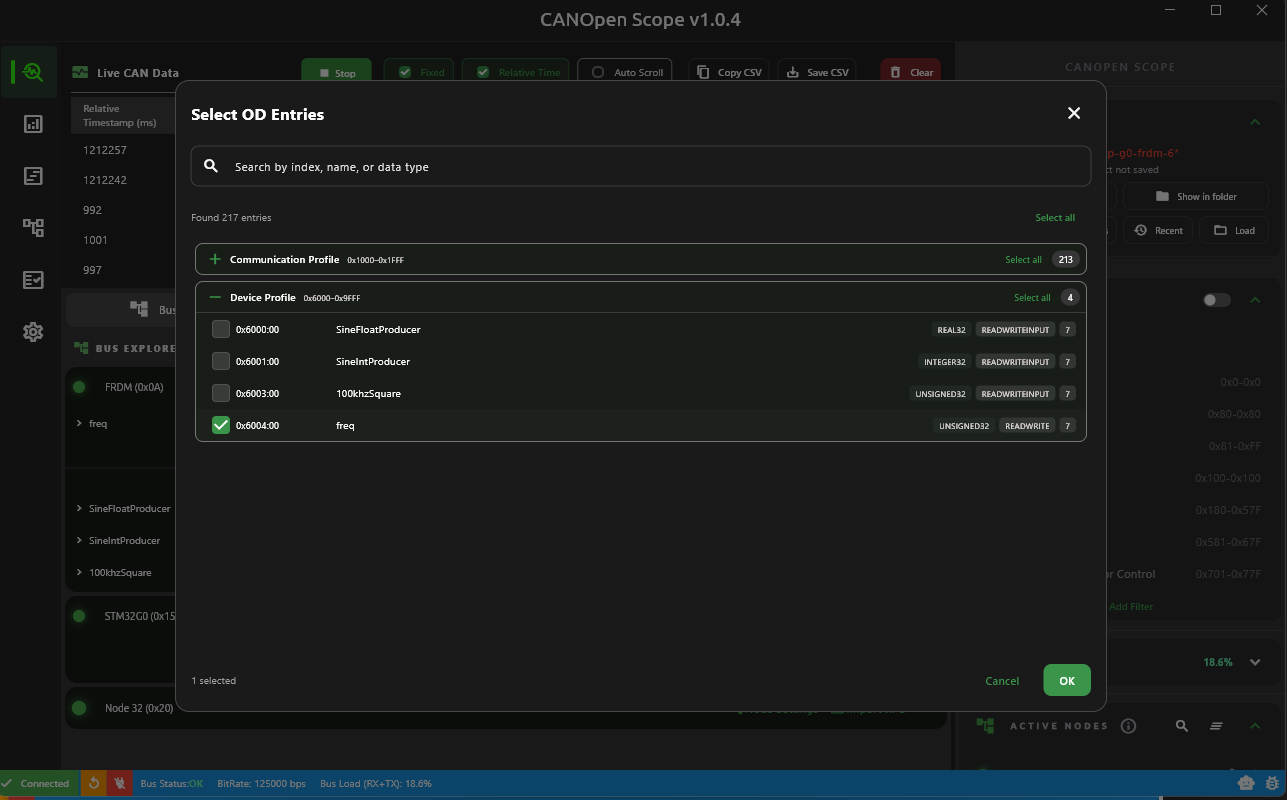
Read and write the Object Dictionary, map and monitor PDO channels, auto-import EDS, XPD and XDD device profiles with on-wire COB-ID resolution.
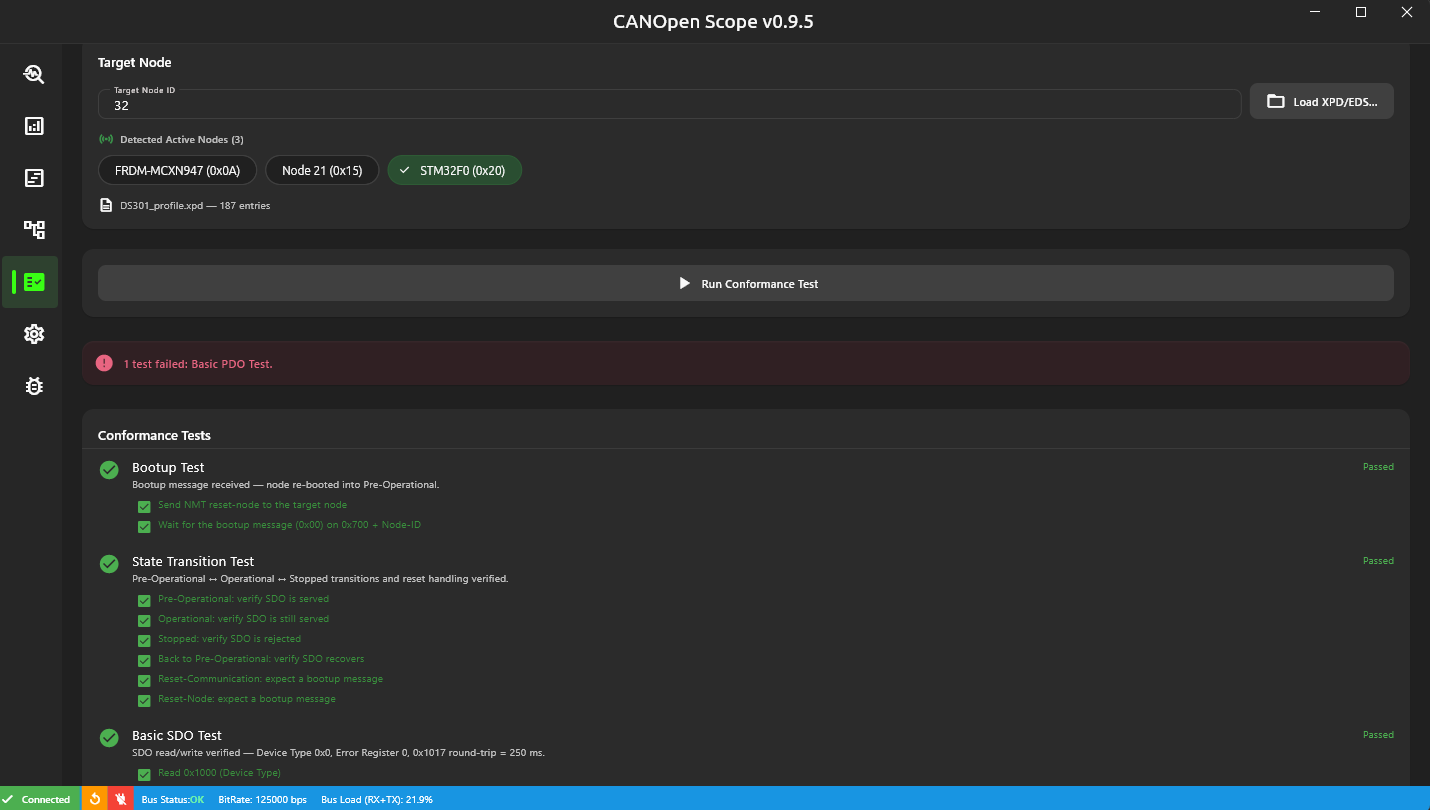
A CiA-style suite against any target node - bootup, state transitions, SDO, PDO, heartbeat - with per-test status and fix guidance.
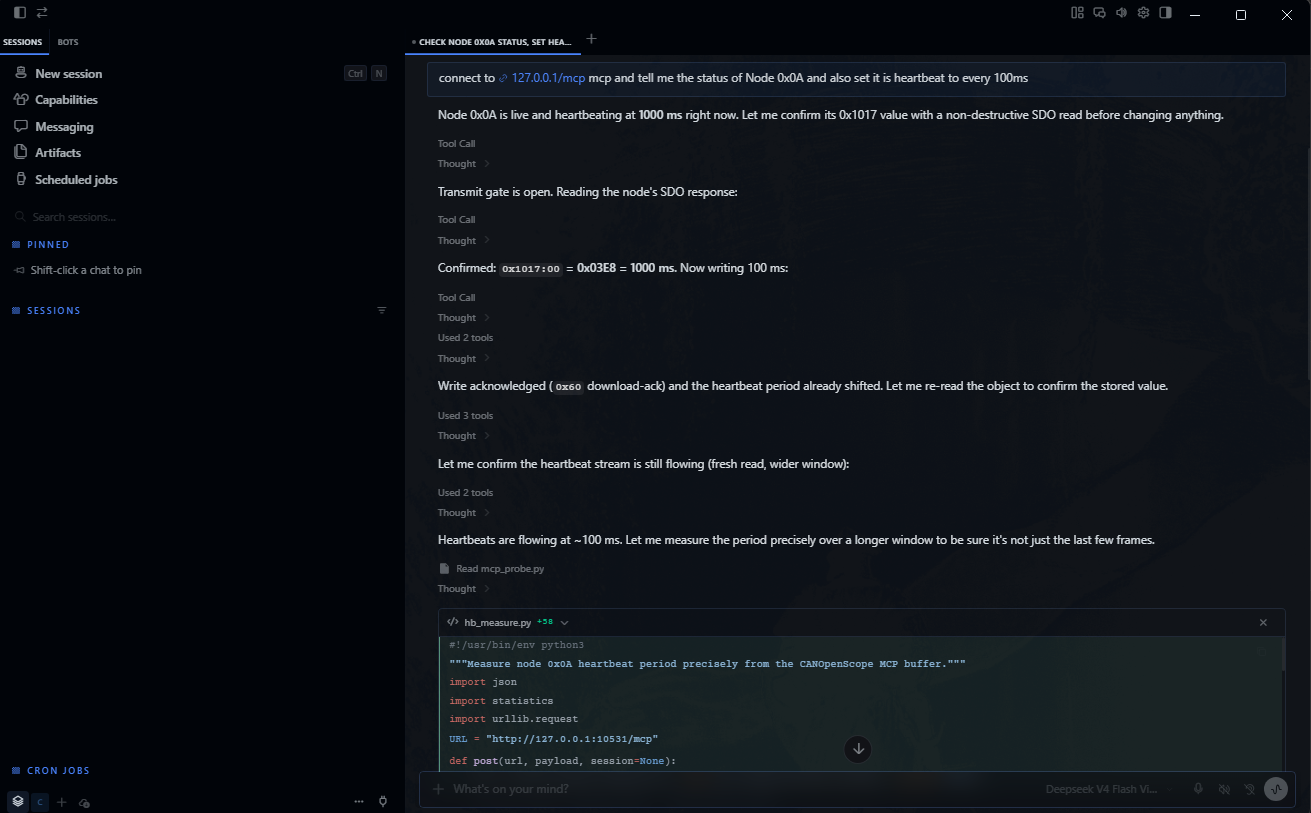
An in-app AI Gateway exposes live bus data over Model Context Protocol. Point any MCP-capable assistant at it to inspect and drive the network from natural language. Compatible with most AI agents, including GitHub Copilot, Hermes, Claude Code, and more.
Save your whole setup as a .csp project and reopen it any time.
Browse every node and object on the bus, and send any frame by hand.
The CiA 301 services you debug every day, decoded and driveable.
Roadmap Record & Playback is coming in a future release.
02 · AI Gateway
CANOpenScope embeds an MCP server. Any MCP-capable assistant can query live frames, nodes and Object Dictionaries - and, only if you allow it, control capture or transmit.
claude mcp add --transport http canopenscope http://127.0.0.1:10531/mcpcodex mcp add --url http://127.0.0.1:10531/mcp canopenscopeCursor, Claude Desktop and others: add a Streamable HTTP MCP
server at http://127.0.0.1:10531/mcp
send_packet has its own switch.bus_statusAdapter, bus and capture state, counterslist_nodesDetected nodes with NMT stateread_packetsRecent frames, filter by ID or directionpacket_statsTraffic by CAN ID and COB typeod_lookupObject Dictionary from the node's profilelist_recordings · read_recordingSaved captures and their framesset_live_capture · set_recordingStart or stop capture and recordingsend_packetPut real frames on the bus03 · Comparison
Where CANOpenScope stands against the established tool.
Feature data based on publicly documented capabilities. Verify against the latest releases.
04 · Pricing
Hobby friendly - no subscriptions, no watermarks, no time-limited trial. Commercial and team use is licensed at logical, straightforward prices.
For personal, hobby and evaluation use. All features, unlimited networks.
DownloadLogical pricing for companies and teams. Tell us about your setup and we'll send a quote.
Get in touch05 · Download
v1.0.4 for Windows 10/11 and Linux x64. Get the certified build from the Microsoft Store, or use the direct downloads below.
The Microsoft Store build is certified and updates automatically. The direct downloads are not certified - use them only if you can't access the Store.
sudo apt install ./CANOpenScope-v1.0.4-linux-x64.debwget -O CANOpenScope.deb "https://static.canopenscope.com/1.0.4/CANOpenScope-v1.0.4-linux-x64.deb" && sudo apt install ./CANOpenScope.debInstall the .deb with apt, or use the portable build below - no install needed. SocketCAN is supported out of the box.
06 · FAQ
07 · Contact
Questions, feedback, or licensing - send us a message and we'll get back to you.